
Network
Intended for testing the network speed of the network connection.
- Device with network device.
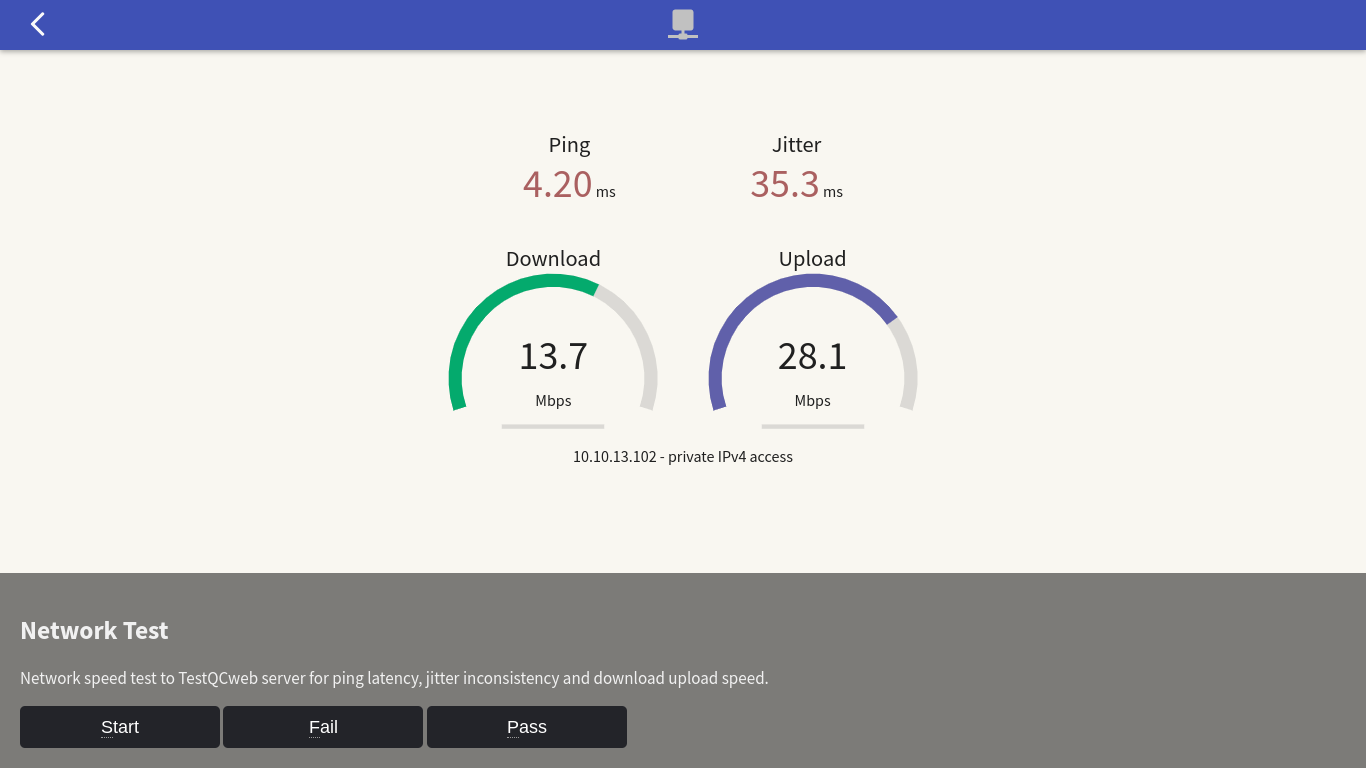
No technical or networking expertise is required, just click the Start button and let the system do the rest! It will contact the testqc web network speed test server and assess your connection’s ping, jitter, download, and upload speeds. Results will be clearly displayed through gauges for your quick and easy understanding.
Network traffic congestion warning
Heads up! This network speed test generates quite a bit of download and upload traffic. To avoid slowing down your entire network, please don’t run the test on multiple devices at the same time.
What is Ping Latency ?
Latency is the term used to measure the amount of time it takes for data to travel from one endpoint to another. This is measured in milliseconds and many administrators calculate latency numbers by the amount of time the packet takes to reach its round trip destination.Latency is often referred to as ‘high ping times’ when testing for latency using ping or a similar ICMP tool. Latency can cause delays similar to jitter and is again more noticeable with streaming video, live audio, and online video games.
What is exactly is Jitter ?
Jitter is a term used to describe the difference in latency between packet flow from one client to another. Like latency, jitter is measured in milliseconds and is most impactful to stream audio and video services.VoIP calls that lose quality for a period of time, or cut in and out could be experiencing jitter. If you’ve ever had your favorite video streaming service sit and buffer or freeze up from time to time, this could also be caused by network jitter.
Excellent test tool
As a standalone test module, this network test module can be used to know the current speed rate of your network. It’s mostly useful when you need to confirm if your ISP is actually delivering what they promised.